Shuffle by Artist – No Missing Features, No Missing Tracks
Every Apple Music lover understands the frustration with the images below. You want to shuffle all the songs from your favorite artist, but Apple Music won't let you. Whether it's songs that artist is simply featured on or songs apart of a collaborative album, your shuffle won't include many of their best songs.
With SmartShuffler, this is an issue of the past. Simply create an account, sync your Apple Music library, and start shuffling any artist in your library. Every song in your library in which the selected artists are a participant will be included.
What Apple Music Misses — And How SmartShuffler Fixes It
The screenshots below show exactly why your artist shuffles feel incomplete today, and what happens when SmartShuffler pulls everything together.
The Apple Music Problem
One artist. Scattered across multiple pages and missed features.
You are in a Drake mood so you decide to shuffle Drake. You open the Artists tab in Apple Music and see this:
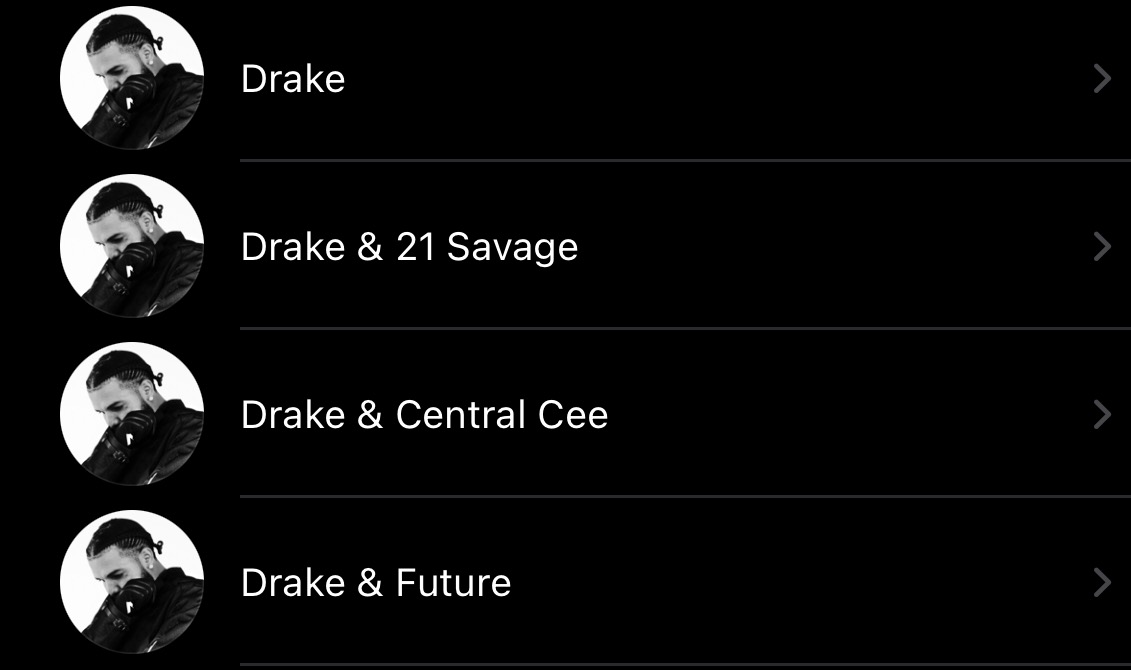
Drake, Drake & 21 Savage, Drake & Central Cee, Drake & Future...each a separate "artist". You can only shuffle one at a time, so whole albums are left out.
It gets worse with featured tracks. Features live under the other artist’s page, so they never join your Drake shuffle. Drake participates on each of these songs, but a Drake shuffle in Apple Music will not include them:
.jpeg)
.jpeg)
.jpeg)
The SmartShuffler Solution
One click. Every Drake song you actually care about.
SmartShuffler scans your Apple Music library and tags every song Drake appears on — solo tracks, collabs, and features.
When you choose Drake in SmartShuffler, you are shuffling their entire presence in your library, not just the narrow slice Apple Music allows.
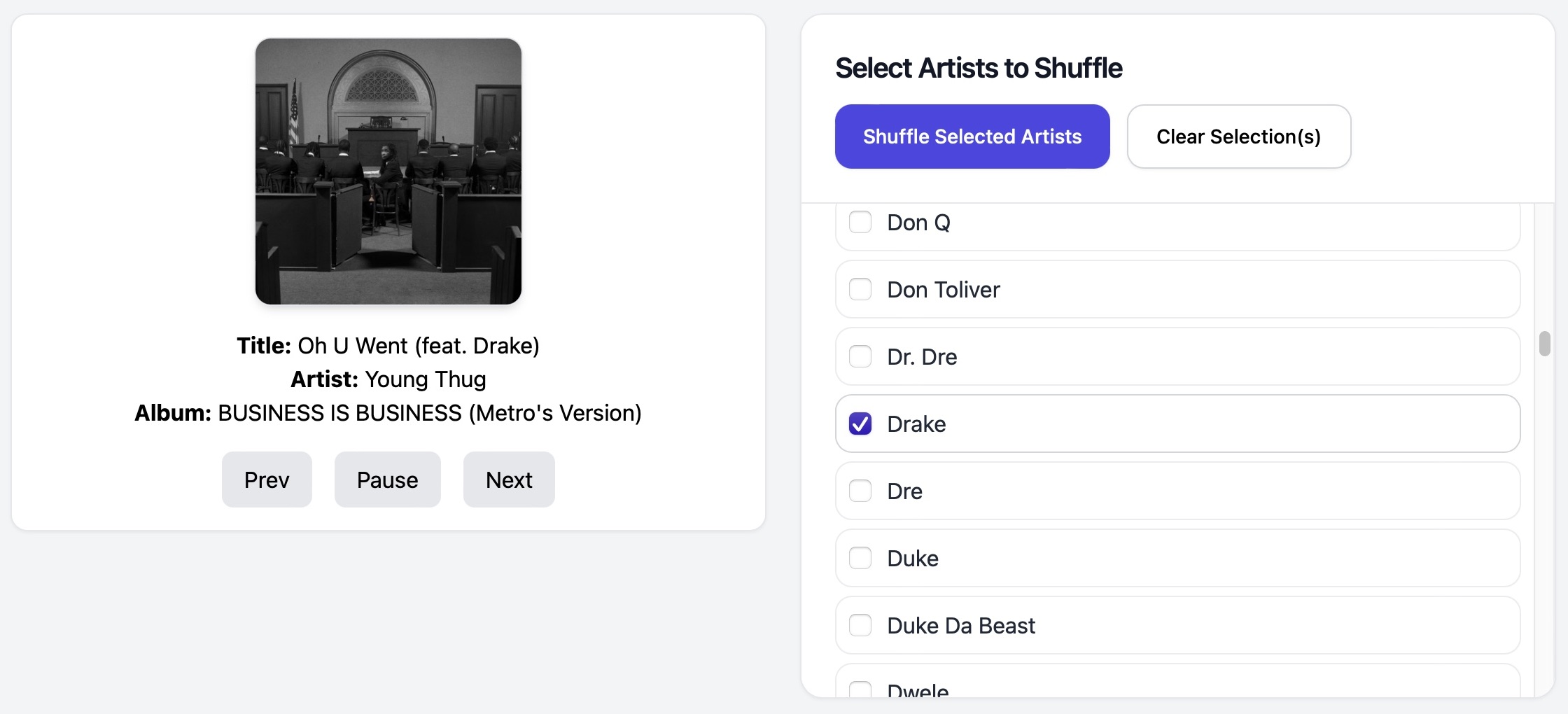
One artist. One shuffle. All the songs they touch, in one place.